

Updated: Competition has now closed! Winners will be announced later today.
Thanks to BitDefender, I have one Dell Mini 10 netbook (RRP $449) to give away for parents or carer-givers who can tell us the best way to protect children on the internet.
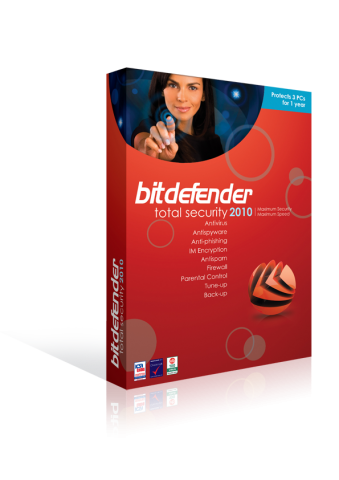
Loaded with the latest BitDefender Total Security 2010 security suite, the lucky winner will be all set and ready to go on their new laptop. You even get to choose the colour!
I also have an additional five copies of Total Security 2010 (RRP $105) to give away to five runner-ups. Each copy comes with up to 3 licenses to protect all of the family’s PCs for a year.
I am increasingly aware of how I let the children use the internet – and how much they can do, and use, without me. Keira already knows what ‘Google’ is (both the name and the verb ‘to google’) and I learned I can’t let Riley play around on YouTube by himself: what he starts watching might be fine, but a few clicks on the side panels takes you away to other, more age inappropriate, videos. This is before they even start ‘surfing’ properly, to potentially some dubious places where pop-up windows invite you to do any number of things. On top of being generally annoying, it’s a concern.
Features of BitDefender Total Security 2010
Confidently download, share and open files from anyone
• Protects against viruses and other malware using industry-leading technology
• Scans all Web, email and instant messaging traffic in real-time
• Provides an unmatched detection rate of new threats based on two different proactive technologies
• Blocks spyware programs that track your online activities
Protect your family and their computers
• Parental Control blocks access to inappropriate websites and e-mail
• Limit kids’ access to the Internet, games, etc. to specific times during the day
Protects your identity: shop, bank, listen and watch, privately and securely
• Blocks web pages that attempt to steal your credit card data
• Prevents personal information from leaking via e-mail, Web or instant messaging
• File Shredder permanently erases sensitive files and traces of files
Guards your files and conversations with top-of-the line encryption
• Instant Messaging Encryption keeps your conversations private on Yahoo! and MSN Messenger
• File Vault securely stores personal information or sensitive files
• Automatically backs up files and folders
Connects securely to any network at home, at the office, or away
• The two-way firewall automatically secures your Internet connection wherever you are
• Wi-Fi monitor helps prevent unauthorised access to your Wi-Fi network
Fine-tunes performance from your computer
• Removes unnecessary files & registry entries, for improved performance
• Optimised scanning technology skips safe files for better scan speed and lower system load
• Antispam stops unwanted e-mail from reaching your Inbox
• Laptop Mode prolongs battery life
To enter, simply post your tip(s) as a comment on how children can be protected on the internet. If you are on Facebook, make sure you check out BitDefender Australia’s page and become a fan too.
Competition entries will close at 12pm on Friday 30th July 2010, so you have a few weeks to enter. The winners will be randomly drawn using a random number generator and announced later that evening. You may only enter once and entrants must live in Australia.
Good luck!





















{ 31 comments }
Is being first lucky? Unlucky? Who knows.
I think the best way to protect kids, is simply to be watching, all the time. Our computers are in the main living area, and Amy regularly uses them for paint and for some age appropriate sites – I can’t imagine a better way that just watching. Of course, when she’s older, things will probably change!
Honestly,we just keep computers in the kitchen and living room so the kids are never alone and they know the rules about what we say they can and can’t do on the computer.We have strict computer rules.
Annie was googling ABC Kids when she was 3 years old. We very quickly installed “KidZui” for her to use. But nothing beats parental supervision.
My niece at 12 months already loves seeing her extended family on Skype. One good tip is not to have wireless internet access. That way they can use a laptop not connected to the internet for playing games in their room, but have to plug it in to the modem in the living room (where they can be supervised) to access the internet.
We monitor what the kids are doing and leave the computer in public view. I find listen is good too. I know the sites they are allowed to use and when I hear differnt sounds… I know they’ve slipped out of the boundary.
I am with Veronica, the main thing is to supervise kids’ usage. I did find this hard, one time, however. My then 14 year old step son knew this rule, but got out of bed early to sneak onto our computer (yes, he was doing things he wasn’t allowed) whilst I was asleep. So, my tip learnt the hard way, is if you know a child/teen will go behind your back, password protect the computer so that they must ask you first, then you will be able to supervise
I agree with the supervisory aspect. Keep the computer in a main living area. Know your children’s passwords so you can look in their accounts. Talk to them about who they’re meeting and what they’re doing online. If they’re on Facebook, make sure you’re one of their friends. Our kids are growing up with this technology, so we must expect that they will be 2 steps ahead of us in getting around any controls. Stay on top of this by maintaining a relationship with your child so they trust you and can talk to you and at the same time, control your computer with software add-ons.
We have decided that the best way to protect our girls online and to create good, honest, sharing computer habits as they get older is to use our tv in the living room as the computer monitor for screen time. Its not entirely practical as it means no one can be watching tv whilst on the computer but we think its a good way to include computer time into our family routine. I really don’t want my girls going off into their rooms with the laptop and I don’t want to have to keep looking over their shoulder either.
Having the kids in the lounge room where we can watch what they are doing online and using parental controls works for us. Also having the computer passworded so they have to ask to log on.
Education is by far the best way to protect your kids. Teach them basic safety like not giving out your details and not accepting requests or emails from strangers. Explain to them that people are not always what they appear to be on the net. You can do this without making the net something to fear if you tie it in to other safety and good behaviour messages the kids are getting at school – how to deal with bullies, not talking to or going with srangers, etc.
While you’re at it, show them this in action in your own dealings with the net. If you are being safe and sensible, the kids can see that demonstrated and learn the value of it.
Parental controls are useful, especially when the kids are very young. But don’t simply make it a matter of checking the yes/no box – discuss your reasons with your kids, involve them in the decision-making process.
Watching over your kids’ shoulders is all very well, but there comes a point where you do need to trust them. Starting that process early, with education and parental controls, helps the kids develop their own net-awareness. Giving them access to safe sites allows them to start learning in a safe environment. Check up on them from time to time, and encourage them to talk about what they are doing on the net.
Encourage your kids to email or chat with you. Interact with them directly. Know who their friends are, and – at least initially – encourage them to only have friends who they know in real life.
Kids want to be trusted, want to feel as though they are ‘grown up’ and have some agency in what they do. Working with them educates them, keeps you aware of their situation, and helps build good rapport between you. That way, if situations do arise that are potentially problematic, your kids can feel they can come to you for advice or help.
Talk to them about predators on the net, have yourself as their friend on any of the social sites, computer used in lounge room, stick your head over to chat to them and see what they doing (if they suddenly click to another screen you know to ask questions) talk to them about different types of bullying on line to see what their reactions are, if they don’t talk openly with you about things on line their could be an issue and you need to follow up, let them know you know how to check the history of what has been accessed even if they have wiped the obvious listing (and do check this every so often) install one of the many programs that does let you know when inappropriate stuff has been accessed. Limit computer time so that they are just not on it all the time (becomes harder the older they get as the computer will be getting used to research and type up assignments) put a block on some things being accessed (password protect etc)
But the main thing as i have mentioned before is to keep an open and honest communication link between you and your kids open so that you can see if something doesn’t seem to be right with them and you can ask the questions and find out what is happening
oooh I want a red one… cause red ones go faster!!
We’ve discovered the you-tube issue too… one minute the girls are watching an annoying yet age appropriate dora video the next they are listening to a home made video clip of ‘Dora is the devil….” ahem….
So my tip is simple… and is especially for little kids… you need to be there. I’ve resigned myself to the fact that I need to supervise my kids if they are online… it is not something they can do safely by themselves yet.
Count me in please…
I am using a parental control program ( Musonya ) for can be protected for childrens…
The rules are the same as in any public place – We need to supervise our children, educate them about dangers and create boundaries for them to explore freely within.
I check their browsing history, recent documents, and whats in the internet cache. They are convinced I have a key logger or super powers because I know what they have been doing and they don’t know how. They’re not game to do anything they are not supposed to on the internet.
We turn computer time for my niece into a family activity. She’s never on the computer alone. Not just the computer either. If she’s watching a show or movie one of us will always sit with her. She’s the only kid in a family full of adults and it feels a bit mean to sit her down to these things herself! Hence, lots of supervision and of course spontaneous discussions on what is appropriate etc, etc.
This is such a great giveaway and the comments have been excellent.
One of the most effective things that we have done with our teen & tween has been to share stories about what’s possible and have them discuss what they think is safe/unsafe internet behaviour. This is backed up by an excellent program at their school.
We also limit the amount of time spent on the computer and it’s in a public space and people are coming & going continually. We regurlarly check activities and so far so goo.
The most challenging this is to monitor what happens on their mobiles vs the family computer.
I agree with the comments above – supervision (especially for younger children) and education about how to discern appropriate from inappropriate content, according to the age of the child, because at some stage you are going to have to step away and trust them and you need to know that they know how to keep themselves safe.
I think it is also important to have a ‘contract’ or agreement with older children about their usage – things like, all passwords are to be known by parents, which sites they are allowed to visit, how much time a day to be spent online, that sort of thing, with consequences agreed beforehand, then they know exactly what is expected of them and what will happen if they step over the line.
My 7yo has just started asking if he can play games on the computer and I have been so reluctant to let him. I have so far been sitting with him supervising him and just the other day I let him play while I did some housework but I could hear the noise from the computer the whole time. I definitely need to look at a control programme.
Hello MiscMum and MiscMum readers!
My name is Raluca and I work for BitDefender. We would just like to thank Karen for this competition and also to let you know that we appreciate all your comments about your best ways to protect children from internet dangers.
We want to also invite you to check out some tips on our blog on how to defend your children against online threats and also a podcast about how BitDefender Offers Comprehensive Parental Control Features to Protect Children from Online Threats in a Web 2.0 World that you can find by scrolling down a little bit:
http://news.bitdefender.com/site/viewPage/multimedia.html
I’ll be around for any other questions, so please don’t hesitate to ask:)
Best,
Raluca
P.S Good luck to all participants!
Supervision is key. Ensure the child can be seen by yourself while on the computer. We have our main pc in the family room for this very reason.
Keep the family computer in a public area of the house, and take an interest in what your kids are looking at. Take a chance to educate them about what is reasonable and unreasonable.
First and foremost I would have to say education is the BEST way. Inform them of the dangers of the web and what it has to offer the innocent children that is unaware of it’s dangers. Next would be to install the wonderful bitdefender Total Security software and set the appropriate settings for the needed protection. Then, just keep tabs on them by checking the history, cache, etc. And also install a key stroke software just to make sure that THEY aren’t causing any trouble.
My tips are to password your computer and using parental controls. Also discussing with the kids what they can and cannot do online and which websites are appropriate for them
I recommend net nanny and having the computer in the loungeroom where I can watch what the kids are doing.
We keep our computer in a central location to keep an eye on the kids. We also password the computer so they cannot use it without us knowing.
My kids are only allowed on the computer when either my husband and I are there to monitor them.
As well as all the tips listed above, I promote the internet as ‘Just another public space’. If you wouldn’t stand in the middle of the street saying what you are going to post, perhaps you shouldn’t post it. It is a guideline I use myself blogging and think that kids can benefit from the same principles. Above all, the most important thing is for young people to have a few people they can trust (at home, school or external services) to discuss content they find ‘accidentally’ or messages received that makes them feel uncomfortable.
I think the only way to protect them is to educate them and to be with them when they are on the internet. Not all the time, but having the computer in a living area where you are is essential I think, not shut away in a bedroom or similar. I don’t know that any software can completely do the job that a caring person can do.
I agree with all the above always teach your kids about net saftey.Always teach your kids to not put all info out there . keep the computer in a main area so you can always take a peek at what they are doing. Always know your kids passwords .Dont let them use msn untill they are (in my view) 15/16 kids can be really nasty out there. maybe netnanny or another site. block certain sites as older teens will always be curious like mine were so we had to block heaps(LOL) make sure its in a good location like dinning area/kitchen -never in rooms.
always check your childs history page -they will probly hate you for it -but its better to be safe then sorry …..
Kids should be protected by constant monitoring and always by using a net nanny type software. Always check the history also, just in case you need to leave the room. The PC should always be in the main family room also.
Comments on this entry are closed.
{ 1 trackback }